TotalMix FX Control
Stream Deck plugin for TotalMix FX — documentation
TotalMix FX Control documentation
A Stream Deck plugin that puts TotalMix FX on keys and Stream Deck+ dials: faders, mute and solo, phantom power, snapshots, DURec, effects, dynamics and Room EQ, with everything drawn live from the mixer. Windows and macOS, one installer.
There are two families of actions. Pick the one that matches your TotalMix version, or set both up, they run side by side on separate Remote Controllers.
| Global OSC actions “(TotalMix 2.1+)” | Classic actions | |
|---|---|---|
| TotalMix FX | 2.1 and newer (beta at the time of writing) | 1.96 to 2.0 (also works on 2.1) |
| Channel addressing | Absolute, “input 3” is always input 3 | By position in the visible bank; can be pinned |
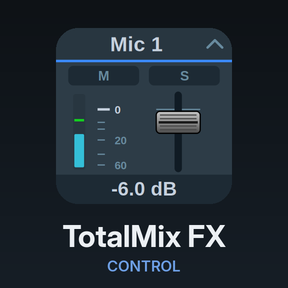
| Artwork | TotalMix look: fader strips, meters, knobs, buttons | The same TotalMix look, without meters |
| Snapshot state, DURec state | Yes | Only what the mixer reports on page 3 |
| Where new features land | Here | Maintained, not extended |
New here? Setup walks through the few TotalMix settings the plugin needs; after that, drag any action onto a key, pick a channel, done.
Contents
Getting started
- Setup. TotalMix OSC settings for both protocols, ports, remote hosts, firewalls, defaults for new buttons.
- Dials and gestures. dB stepping, press and touch, nudge keys.
- Appearance. The TotalMix look, the icon look, custom images.
Global OSC actions (TotalMix FX 2.1+)
- Volume. Faders, control room monitors, submix sends, pan, preamp gain.
- Toggle. On/off switches with state from the mixer.
- Trigger. Snapshots (load and save), layouts, presets, undo/redo, solo and mute clear, DURec transport, window.
- Display. Meters, device status, DSP load, DURec time, EQ and dynamics curves, gain-reduction needle.
- FX & Dynamics. EQ, low cut, dynamics, Auto Level, Room EQ, reverb, echo, list parameters and select keys.
Classic actions (TotalMix FX 1.96 to 2.0)
Reference
- Devices. Gain ranges and reference-level lists per interface.
- Troubleshooting. Logs, ports, empty lists, common questions.
- Changelog
Requirements
- An RME interface running TotalMix FX 1.96 or newer. The Global OSC actions need TotalMix FX 2.1.
- Stream Deck 6.9 or newer on Windows 10+ or macOS 13+.
- OSC enabled in TotalMix (see Setup). No other software.
This is a private project, not affiliated with RME or Elgato. Issues and requests: GitHub issues.